
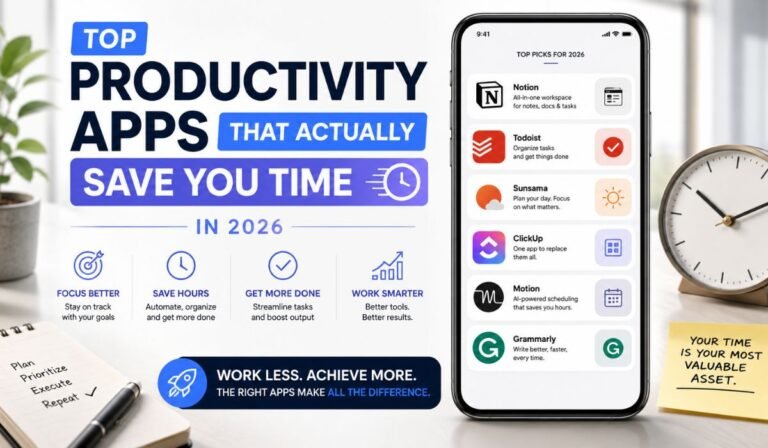
Most productivity apps end up reshuffling tasks instead of reducing them. You spend time organizing work, switching between tools, and managing systems. The actual work gets pushed later in the day than it should be.
The apps that stand out in 2026 behave differently. They reduce steps, simplify actions, and stay out of your way once set up. This list focuses on tools people actually stick with because they make everyday work lighter and more direct.
Task apps that keep work moving
When a productivity system works, it stays consistent. And when it doesn’t, it slowly falls apart, and the first sign is usually task capture feeling slow or annoying. Once that happens, everything else becomes harder to keep together.
Todoist
Todoist is still one of the fastest ways to capture tasks without breaking your flow. You can type something like “send proposal Friday 2pm,” and it instantly becomes a scheduled task. No extra screens or setup steps get in the way.
You’ll find this speed becomes much more noticeable when you’re using the tool all day. Small actions stay small, instead of turning into interruptions. Over time, it also organizes things in the background. Smart filters and suggestions help reduce manual sorting, so your list stays usable without constant cleanup.
Asana
Work gets messy quickly when multiple people are involved. Tasks get split across chats, emails, and random notes. Asana brings everything into one structure. Tasks stay assigned, deadlines stay visible, and progress updates don’t require constant follow-ups.
It helps teams move without repeating conversations or checking in just to stay aligned. It’s often used alongside ClickUp and Monday.com in teams that handle ongoing projects with overlapping responsibilities.
Tools that help structure your time
Tasks only matter when they have space in your schedule. Without structure, even small to-dos start stacking up.
Google Calendar
Google Calendar remains widely used because it keeps scheduling simple and reliable. Its real strength comes from time-blocking. You assign specific time slots to work instead of leaving tasks floating in a list.
This creates a clearer sense of what gets done and when. The day feels less reactive because work already has space reserved for it. Most consistent productivity setups still combine a task manager with a calendar for this reason. One stores the work, while the other controls when it happens.
Reclaim.ai
Reclaim.ai adds automation to scheduling without changing how you think about your day. It places tasks directly into your calendar and adjusts them when meetings shift or new events appear.
It also protects time for focused work and short breaks, which usually disappear when schedules get busy. Over time, the calendar becomes more stable because it adjusts itself instead of requiring constant manual updates.
Apps that keep ideas organized
Ideas lose value when they’re scattered across too many places. You end up rewriting or searching instead of building on them.
Notion
Notion combines notes, tasks, and documents into a single workspace. This reduces the need to jump between tools when looking for information. Everything sits in one structure that can grow over time.
Used well, it keeps projects connected and reduces friction when switching between ideas. This kind of all-in-one setup reflects a broader shift in how people use digital tools for everyday workflows. It works best when kept simple. Overbuilding dashboards often creates more maintenance than value.
Obsidian
Obsidian focuses on linking ideas instead of isolating them. Notes connect to each other over time, which helps build context across writing, research, or long-term thinking.
Instead of scattered files, you get a network of related ideas that grows as you use it. Its local-first design also keeps performance fast and stable, even with large note collections.
Where automation removes repetitive work
Automation changes the rhythm of work by removing repeated steps that usually drain small chunks of time throughout the day.
Zapier
Zapier connects apps and runs workflows automatically in the background. A single trigger can start multiple actions across different tools. A new lead can be added to a CRM, followed up with an email, and turned into a task instantly. This removes repetitive manual steps that would otherwise interrupt focus throughout the day.
Make
Make offers a more flexible approach to automation with visual workflow building. It handles more complex logic and multi-step processes without requiring constant adjustments once set up. It takes more effort to configure, but it handles more detailed workflows once running.
Tools that support focus during real work
Even with a good system, distractions can break momentum quickly. Focus determines how much actually gets finished.
Forest
Forest uses a simple timer that rewards focus with a growing virtual tree. If you leave the app, the tree disappears, which creates a small but effective sense of accountability.
This helps extend focus sessions without relying on constant willpower. It remains one of the most widely used focus tools because of its simplicity.
RescueTime
RescueTime tracks how time is actually spent across apps and websites. It highlights patterns like frequent distractions or long periods of low-value activity.
These insights make it easier to adjust habits based on real behavior instead of assumptions. Once patterns are visible, improving focus becomes more straightforward.
What people actually stick with
Most productivity setups become simpler over time. A typical system includes one task manager for capturing work, one workspace for notes and information, and one calendar for scheduling.
Some people add automation when it clearly reduces repetitive effort. Extra tools usually fade out because they require upkeep without adding much daily value.
The bottom line
Productivity apps in 2026 work best when they remove friction from everyday tasks. You can use these apps to organize anything from your work schedule and exercising to playing at a Bitcoin Cash casino. This level of flexibility is just what busy people need to manage their different routines.
A simple system tends to work better over time. Capture tasks quickly, keep information in one place, manage time clearly, automate repetitive actions, and protect focus. That is where real-time savings show up.
