
This article is for anyone who regularly works with digital images and needs a faster, smarter way to improve their quality without hiring a professional editor or learning complex software. Whether you are a solo content creator trying to make your photos stand out, a small business owner polishing product shots, or a marketing team that needs consistent visual quality across dozens of assets, choosing the right online image enhancement tool is a decision that directly affects how your brand and work are perceived. By the end of this guide, you will have a clear framework for evaluating your options and a realistic picture of what different tools cost, how they work, and who they are best suited for.
What Online Image Enhancers Actually Do
Before evaluating any tool, it helps to understand what the category is solving. Online image enhancement tools use artificial intelligence and automated processing to improve photos without requiring the user to manually adjust every slider or master a professional editing program. Core functions typically include sharpening blurry images, reducing noise and grain, correcting brightness and contrast, upscaling low-resolution files to higher resolutions, and removing distracting backgrounds or unwanted objects.
The quality of results varies significantly between tools. Some use a single AI model that applies the same treatment to every image regardless of content. Others use specialized models that recognize whether they are working on a product photo, a portrait, or a landscape and apply different processing accordingly. Understanding this distinction helps explain why two tools with similar-sounding features can produce very different output on the same image.
For individual users, the goal is usually speed, simplicity, and cost-efficiency. For businesses, the priorities often shift toward consistency, volume capability, brand control, and integration with existing workflows. Most tools position themselves somewhere along this spectrum, which is why a one-size-fits-all recommendation rarely serves everyone equally well.
8 Criteria to Evaluate Any Online Image Enhancement Tool
When comparing tools in this category, evaluating each against the same set of criteria allows for a fair comparison that reflects your actual needs rather than marketing language. Here is what matters most.
- Output quality and realism
The most important measure is whether the enhanced image looks natural or over-processed. AI models can sometimes produce a “wax figure” effect, especially on skin, where noise is removed but realistic texture is not restored. Strong tools recover genuine detail rather than generating a plausible interpretation of what detail should look like. Before committing to any tool, test it on the type of image you most commonly work with, whether that is product photography, portraits, or mixed content.
- Enhancement vs. upscaling distinction
These are two related but different processes. Enhancement improves quality at the current resolution by correcting noise, color, and sharpness. Upscaling increases the actual resolution of the image, typically by a factor of 2x or 4x, while trying to preserve or add detail. Some tools handle both in a single pass, while others require you to run separate operations. If you regularly need to make small images print-ready or suitable for large-format use, upscaling capability is a non-negotiable feature.
- Batch processing support
For individuals, enhancing one image at a time is workable. For businesses managing product catalogs, marketing libraries, or recurring content schedules, the ability to process multiple images simultaneously or in an automated queue is critical. Tools that lack batch processing quickly become a bottleneck when image volume increases. Confirm whether batch capability is included in the base plan or locked behind a more expensive tier.
- Ease of use and learning curve
The best tool is the one you will actually use consistently. Some platforms are designed around a single-click workflow where the AI makes most decisions automatically. Others offer more granular control with sliders, presets, and model selection. If you have no design background, a more automated approach reduces friction and the likelihood of mistakes. If you work in a creative or technical role where precision matters, you may prefer a tool that lets you fine-tune results.
- Pricing structure and free tier limitations
Most tools in this space operate on a freemium model. Free tiers typically come with restrictions such as watermarked exports, resolution caps, limited monthly credits for AI features, or daily usage limits. Paid plans range from individual subscriptions at roughly $10 per month to team or enterprise tiers with consolidated billing and admin controls. Pay close attention to whether free tier outputs can be used commercially, as many explicitly prohibit this. For businesses, understand whether the pricing scales by seat, by volume of images processed, or by a flat monthly fee.
- Commercial use rights
This is particularly important for businesses. Some tools reserve commercial usage rights for paid plans only. Others include them across all tiers. If you are enhancing images for client work, product listings, advertisements, or any revenue-generating context, confirm that your plan explicitly permits commercial use before relying on a tool for production work.
- Integration and workflow compatibility
Consider where an enhanced image needs to go after processing. Tools that allow direct export to cloud storage, content management systems, or social media platforms reduce the number of manual steps in your workflow. For development teams or agencies handling large volumes, an API-accessible tool that can be integrated directly into a custom pipeline offers a significant efficiency advantage over browser-based tools that require manual uploads.
- Data privacy and image security
When you upload images to a cloud-based tool, those images temporarily exist on that company’s servers. For businesses handling proprietary product photography, client work, or sensitive materials, reviewing the privacy policy is not optional. Check whether uploaded images are used to train models, how long they are retained, and whether enterprise plans offer additional privacy protections or on-premise alternatives.
Tool Categories: Matching the Right Type to Your Needs
Online image enhancers currently fall into a few distinct categories, each suited to a different type of user.
Standalone AI enhancers and upscalers focus almost entirely on resolution improvement and technical quality restoration. They tend to produce the highest-quality output for pure enhancement tasks but offer little in the way of additional editing or creative tools. They are a strong fit for photographers, e-commerce teams with large product libraries, and agencies that need to restore or upscale assets at scale. Pricing for these tools often follows a credit-based model, which works well for variable usage but can become expensive when volume is consistently high.
All-in-one design and editing platforms bundle image enhancement features alongside broader creative tools, templates, and publishing capabilities. These platforms are well suited to users who want to enhance an image and then immediately use it in a social media graphic, a marketing flyer, or a branded design. The trade-off is that the standalone enhancement quality may not match dedicated upscaling tools, particularly on tasks requiring aggressive resolution increases or fine detail recovery at high zoom levels.
Mobile-first enhancers are optimized for fast, one-tap results on smartphones and tablets. They are accessible and simple, but they typically lack the batch processing, high-resolution output, and commercial licensing options that businesses need. For individual users who primarily share images on social media, these tools are often sufficient.
API-first platforms are designed for developers and technically-oriented teams that want to integrate image enhancement directly into an application, e-commerce pipeline, or content management system. These tools prioritize throughput, automation, and programmatic control over a traditional user interface.
Adobe Express: A Strong Option for All-in-One Enhancement and Design
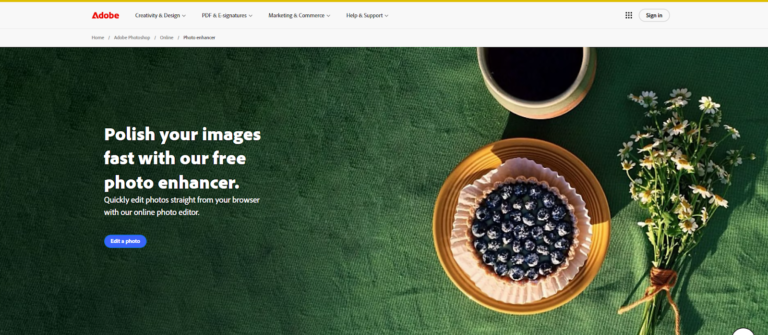
For users who need image enhancement as part of a broader creative workflow rather than as a standalone operation, the Adobe Express image quality enhancer is worth serious consideration. It is designed to be accessible to users without any design experience while still offering enough depth to serve small businesses and marketing teams that need consistent output quickly.
The tool includes AI-powered enhancement features built on Adobe Firefly, including one-click auto-enhancement, background removal, object removal, and generative fill that lets users insert or replace elements in an image. These capabilities go beyond simple sharpening and allow users to address the most common real-world image problems within a single platform. The sharpen tool specifically offers a sliding scale with numerical input, which is a practical feature when producing consistent results across a batch of images that all need the same level of treatment.
Where Adobe Express distinguishes itself from pure enhancement tools is in what happens after the image is improved. Users can immediately take their enhanced photo and drop it into a template for a social media post, a flyer, a business card, or a branded marketing asset. For small businesses and solo creators who need both editing and design capabilities, this integrated workflow eliminates the need for multiple separate tools. Adobe Express is available on both desktop and mobile, offers a free plan with core features, and scales up to team and enterprise plans that include an admin console, consolidated billing, and unlimited generative AI features for image-heavy workflows. The free plan is useful for exploring the platform, though paid tiers unlock the full range of AI credits and premium templates needed for consistent professional use.
What to Watch Out for When Choosing a Tool
A few patterns appear consistently across this category and are worth flagging before you commit to any platform.
Watermarks on free-tier exports are the most common limitation. If you test a tool using the free plan and are satisfied with the quality, confirm that removing watermarks is available at a pricing tier that makes sense for your volume. Some tools charge per image, which becomes expensive quickly at scale.
AI credit systems, where advanced features consume a fixed number of credits per operation, can create unpredictability in monthly costs. Tools that advertise “unlimited” features at the paid tier often represent better long-term value for users who rely on AI operations regularly.
Annual commitments frequently come with early termination fees. If you are evaluating a new tool, start with a monthly plan if available, even at the slightly higher monthly rate, until you have confirmed it fits your workflow.
Finally, be cautious about tools that produce impressive results on the sample images in their marketing but behave differently on the types of images you actually work with. Testing is always the most reliable evaluation method.
FAQ
How do I know if an image has been enhanced enough for commercial use?
The standard for commercial use depends on the context in which the image will appear. For digital advertising and social media, screen resolution is typically the limiting factor, and most AI enhancers can bring a reasonable-quality original up to an acceptable standard for these channels. For print applications, particularly large-format print, the image needs to meet a minimum DPI requirement at the intended print size, which usually means the original resolution needs to be significantly higher or the upscaling needs to be substantial and high-quality. If you are producing work for clients or for your own paid marketing materials, verify the output at 100 percent zoom before finalizing, and confirm that your enhancement tool’s terms of service explicitly allow commercial use on your plan. Tools that specifically serve businesses, including e-commerce platforms, often have business-tier plans that include commercial licensing.
Can these tools fix a severely blurry or low-resolution image?
AI enhancers can meaningfully improve a blurry or low-resolution image, but there are real limits to what they can recover. When detail is genuinely absent from the original file because the image was too small or too out of focus to capture it, the AI is reconstructing what it thinks the image should look like rather than restoring what was actually there. On portraits, this can result in facial features that look plausible but may not accurately reflect the original subject. On product photography, detail recovery tends to be more consistent because the subject matter is more uniform. The practical rule is that AI enhancement works best when the image has some quality to build on. It is not a substitute for capturing a quality original whenever possible.
Is it safe to upload my business’s product images or client work to a cloud-based tool?
This depends on the tool and the plan. Many cloud-based image enhancers process uploaded files on their servers and may retain them for a period of time or, in some cases, use them to improve their AI models. Before uploading proprietary or sensitive images, review the privacy policy carefully. For businesses with strict data handling requirements, enterprise plans often include stronger privacy protections, shorter retention periods, and in some cases compliance certifications. If your business operates in a regulated industry or handles images that include identifiable individuals, this due diligence is especially important. Cloud storage management tools, such as those connected to your existing Google Drive or Microsoft OneDrive accounts, can help you maintain organized control over enhanced image files once they are processed.
What is the difference between AI enhancement and traditional photo editing?
Traditional photo editing requires a user to manually adjust individual parameters, such as brightness, contrast, shadows, highlights, and sharpness, using tools in a program like Adobe Photoshop or Lightroom. This approach offers precise control but demands both time and skill. AI enhancement automates many of these adjustments by analyzing the image and applying corrections algorithmically, often in seconds and without requiring any input beyond uploading the file. The tradeoff is control: AI tools make decisions on your behalf, which works well for standard use cases but may produce inconsistent results for images that fall outside the model’s training. For most individual users and small businesses, AI-driven tools offer a practical and efficient solution that does not require investing years in developing editing skills.
How should a small business evaluate tools for enhancing product photos at scale?
For a small business enhancing product images regularly, the evaluation should prioritize four things: output quality on product-type imagery specifically (test with your actual products before committing), batch processing availability at an affordable price point, commercial licensing clarity, and export format flexibility. Some tools produce excellent results on portraits but handle product photography differently, so testing with representative images from your own catalog is essential. You should also factor in whether the tool integrates with the platforms where your images ultimately end up, such as your e-commerce platform or social media scheduling tool. For teams with multiple people working on the same assets, look for platforms that include brand controls and multi-user access so visual consistency is maintained across the team. For teams that also manage written content alongside visual assets, combining image enhancement workflows with a content management tool like Notion for organizing assets and tracking project stages can significantly reduce the friction in publishing-ready content at volume.
Conclusion
Choosing the right online image enhancement tool comes down to being honest about your actual use case. For individuals who want quick, polished results without a steep learning curve, a tool that combines AI enhancement with design templates in a single workflow offers the most practical value. For businesses with high volume, specific quality standards, or technical integration needs, dedicated enhancement platforms with batch processing and API access provide a more scalable foundation.
The most important step before committing to any tool is testing it on your own images, not the sample images in a demo. Output quality varies more between tools than pricing would suggest, and the right fit for a portrait photographer is not necessarily the right fit for an e-commerce team. Use the criteria outlined in this article as your evaluation checklist, and you will be equipped to make a confident, well-informed decision.
