
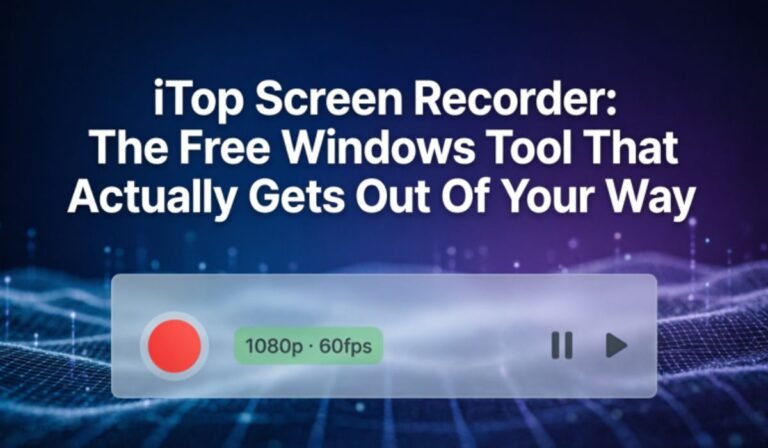
iTop Screen Recorder is one of those rare free tools that actually does what it promises clean recordings, smooth performance, and no frustrating limitations that make you regret not paying for something better.
Most free screen recorders have a catch. Either the output quality disappoints, or the software drags your system performance down, or the watermark is so large it makes the video unusable for anything serious. iTop breaks that pattern and that is genuinely what makes it worth talking about.
What Makes iTop Different From Every Other Free Recorder?
The honest answer is that iTop was built around the complaints people have always had about free recording tools.
Lag during recording. CPU overload. Complicated settings that take longer to figure out than the actual recording. Watermarks that cover half the screen.
iTop addresses every single one of these directly rather than just adding features nobody asked for. The result is a tool that feels more like something you paid for than something you downloaded for free.
Who Actually Uses iTop and Why?
- Gamers record gameplay without frame drops or lag thanks to GPU acceleration.
- Teachers’ webcam overlay makes recorded lessons feel personal and engaging for students.
- Freelancers send quick, recorded walkthroughs to clients instead of writing long emails.
- Content Creators Record and edit inside one tool without switching between applications.
- Business Professionals Clean professional output for presentations, meetings and training videos.
- Students save online lectures and capture live sessions before access expires.
Features Worth Actually Knowing About
GPU Acceleration
This is the feature that separates iTop from most competitors at the free price point. By offloading recording to the GPU rather than the CPU, system performance stays completely normal throughout.
4K Resolution Support
Not everyone needs 4K but having it available means recordings hold up well regardless of where they end up being played or how they get edited afterward. Sharp footage gives you options that compressed low-resolution output simply does not.
Webcam Overlay
The picture-in-picture webcam window is adjustable in both size and position. Small thing on paper, significant difference in practice especially for anyone creating tutorial or educational content where a human presence on screen genuinely changes how the video lands.
Simultaneous Audio Capture
Microphone and system audio recorded together cleanly. No routing issues, no volume imbalances, no extra configuration. It works exactly as it should from the first time you use it.
Built-In Video Editor
Trim the beginning, cut sections out, clean up the ending all inside iTop before exporting. For people recording regularly this single feature saves a meaningful amount of time across a week.
Multiple Recording Modes
Full screen, a specific application window, or a custom selected area. Choosing exactly what gets captured keeps videos focused and prevents anything private or irrelevant from accidentally ending up in the final recording.
Free Version vs Premium Straight Answer
The free version works. That is not something you can say about every free screen recorder. Core recording, audio capture, webcam overlay, multiple modes, and basic editing are all available without spending anything.
The one limitation that matters is the watermark on exported videos. For personal recordings, practice sessions, or anything staying internal, that is easy to live with.
The moment a recording goes to a client, an audience, or anywhere professional, the watermark becomes a genuine problem.
Frequently Asked Questions
Is iTop Screen Recorder actually free or just a trial?
It is genuinely free not a time-limited trial. Core features are available without any payment.
Does iTop work on Mac?
No, iTop Screen Recorder is built for Windows only at this time.
Why does iTop not slow down my computer while recording?
GPU acceleration handles the recording workload separately, keeping your CPU free for everything else.
