
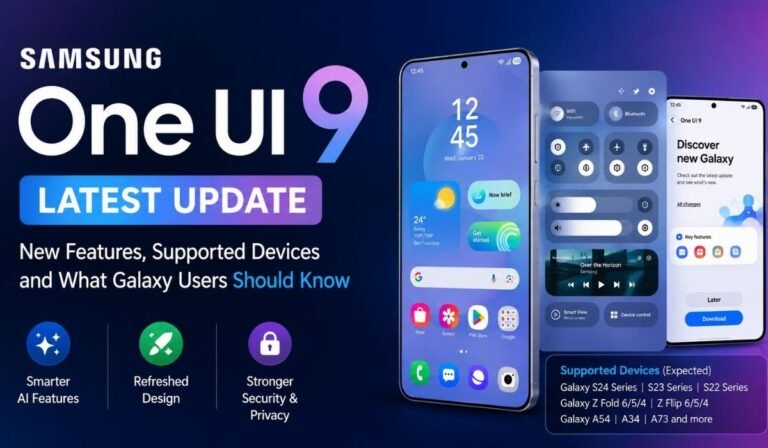
Samsung’s software experience continues to evolve, and the One UI 9 update represents one of the company’s biggest software upgrades for Galaxy devices in 2026. Built on Android 17, the new interface combines visual refinements with new artificial intelligence features, improved multitasking, stronger security tools, and better support for Samsung’s growing range of smartphones and tablets.
The update first appeared with Samsung’s latest foldable generation and is now expanding toward older Galaxy models. That makes One UI 9 particularly important for users who want to know whether their existing device will receive the new software and what changes they can expect once the update arrives.
What Is One UI 9?
One UI is Samsung’s customized Android interface, designed to provide a consistent experience across Galaxy smartphones, tablets, foldables, and other compatible devices.
One UI 9 is based on Android 17 and introduces a combination of Android improvements and Samsung’s own software features.
Rather than completely changing the appearance of Galaxy phones, Samsung has focused on making everyday interactions smoother while adding more intelligent tools.
The company has also optimized the interface for different screen sizes, particularly foldable devices such as the Galaxy Z Fold8 and Galaxy Z Flip8.
Which Galaxy Devices Are Eligible?
Samsung’s latest software is expected to reach a broad range of devices.
The current compatibility list includes flagship Galaxy S models such as the S26 series, S25 series, S24 series, and S23 series, along with their respective Plus, Ultra, and FE variants where applicable.
Foldable devices are also included. The list covers newer models such as the Galaxy Z Fold7 and Z Flip7 as well as previous generations including the Fold6, Flip6, Fold5, and Flip5.
Samsung’s mid range lineup is also represented by numerous Galaxy A, M, and F series devices.
Several Galaxy Tab models are included as well, ranging from premium Tab S models to selected affordable tablets and rugged Galaxy Tab Active devices.
It is worth remembering that availability can vary by model, region, carrier, and rollout schedule.
When Will One UI 9 Arrive?
Samsung introduced One UI 9 with its latest foldable devices in July 2026.
The broader rollout is being handled in stages rather than sending the update to every Galaxy device simultaneously.
According to the currently reported roadmap, Samsung plans to begin wider distribution with flagship models before expanding the update to more affordable and older devices later in the year.
This approach is normal for major Android updates.
Samsung needs to adapt the software for different processors, displays, camera systems, regional configurations, and hardware features before releasing it more widely.
Users should therefore avoid assuming that two eligible phones will receive the update on exactly the same day.
A More Refined User Interface
One UI 9 introduces several interface changes designed to make Galaxy devices easier to use.
Samsung has redesigned parts of the quick settings experience, including separate controls and floating navigation elements.
The goal is not to completely reinvent One UI but to make important controls easier to access while giving the interface a more modern appearance.
Samsung also highlights improved layouts and smoother interactions as part of the updated user experience.
For existing Galaxy owners, this approach should make the transition relatively familiar.
Galaxy AI Gets More Attention
Artificial intelligence is one of the biggest themes in One UI 9.
Samsung has expanded its Galaxy AI ecosystem with features designed to help users interact with their phones more naturally.
One of the notable additions is Now Nudge, which can provide contextual assistance based on what the user is doing.
Samsung has also introduced AI related improvements for photography, personalization, and information management.
The company is increasingly positioning Galaxy AI as an integrated part of the operating system rather than a collection of isolated applications.
Now Brief Becomes More Personalized
Now Brief is another feature receiving attention in One UI 9.
The system can present personalized information in a convenient format, helping users quickly understand what may be relevant to them at different times of the day.
This fits into Samsung’s broader approach to contextual computing.
Instead of requiring users to open multiple applications and search for information manually, the phone can attempt to surface useful information proactively.
The effectiveness of such features will naturally depend on how accurately the system understands the user’s habits.
New Camera and Photo Tools
Samsung is also using AI to improve photography.
Voice Photo Assist is designed to allow users to make certain photo edits using voice interactions, while My FanCam adds object tracking capabilities within the Gallery experience.
These features demonstrate how smartphone photography is moving beyond simply capturing images.
Modern phones increasingly use AI to identify objects, understand scenes, improve compositions, and simplify editing.
For users who regularly share photographs on social media, these tools could save time compared with manually editing every image.
Perplexity AI Integration
Another interesting development is the integration of Perplexity AI into Samsung Internet.
This reflects a broader industry trend where smartphone manufacturers are adding access to multiple AI assistants rather than relying exclusively on their own systems.
For users, this could provide additional ways to search for information, ask questions, and interact with web content.
It also shows how browser software is becoming an increasingly important part of the AI experience.
Multitasking Gets More Flexible
One UI has traditionally been strong when it comes to multitasking, and version 9 continues that direction.
The new software expands the ability to use multiple applications simultaneously, including configurations with up to three apps on screen.
This can be particularly useful on larger Galaxy devices and tablets.
For example, a user could keep a browser open alongside a messaging application and another productivity tool.
On foldable devices, the larger inner display makes this functionality even more practical.
Better Support for Foldable Phones
Foldable devices require software that understands their unique form factors.
A traditional smartphone interface cannot simply be stretched across a large internal screen and expected to provide the same experience.
Samsung has therefore optimized One UI 9 for its latest foldable devices.
The company highlights improved support for different screen configurations and enhanced functionality on the Galaxy Z Flip8’s cover display.
This means users can access more functionality without necessarily opening the phone.
Samsung Notes Gets New Capabilities
Samsung Notes remains one of the company’s most useful productivity applications, particularly for users with Galaxy tablets and S Pen compatible devices.
One UI 9 introduces additional functionality to the application, making it more closely integrated with Samsung’s broader productivity ecosystem.
For students and professionals, improvements to note taking can be more valuable than flashy visual changes.
A smartphone or tablet that makes it easier to organize ideas, documents, reminders, and handwritten notes can become a much more useful everyday tool.
Gaming Improvements
Samsung has also expanded gaming related functionality.
One UI 9 introduces improvements to Overlay Game Booster, giving players additional controls while games are running.
This is important because modern smartphones are increasingly used as gaming devices.
Players want access to performance settings, notifications, recording options, and other controls without constantly leaving the game.
The software therefore plays an important role alongside the processor and graphics hardware.
Security and Privacy Improvements
Major Android updates are not only about new features.
Security remains one of the most important reasons to keep a smartphone updated.
One UI 9 introduces additional security features, including an AI activity log, improved browser protection, and updates to Samsung’s Auto Blocker functionality.
Auto Blocker can help prevent potentially dangerous installations and other unwanted activity.
For everyday users, these protections may operate mostly in the background, but they can still provide an important layer of defense.
Why Software Updates Matter
A major software update can extend the useful life of an existing smartphone.
New features can make an older device feel more current, while security patches help protect users against newer threats.
This is particularly important because people increasingly keep their phones for several years.
Instead of upgrading simply because a new model has launched, users can sometimes gain meaningful improvements through software.
Long term software support has therefore become an important factor when choosing between smartphone brands.
What Users Should Do Before Updating
Before installing a major update, it is sensible to take a few basic precautions.
Make sure the phone has enough free storage for the installation.
Back up important photographs, documents, contacts, and other personal information.
It is also better to install the update while the battery has sufficient charge or the device is connected to a charger.
Finally, remember that major updates can temporarily affect battery performance while the system indexes files and optimizes applications.
If battery life appears slightly worse immediately after an update, it may improve after the device finishes its background processes.
What Makes One UI 9 Different?
One UI 9 is not based around one revolutionary feature.
Instead, Samsung has combined improvements across several areas.
AI is becoming more deeply integrated, multitasking is more flexible, the interface has been refined, security has been strengthened, and foldable devices receive more specialized support.
That combination makes the update more significant than a simple visual refresh.
The real benefit will come from how these changes work together during everyday use.
Final Thoughts
Samsung’s One UI 9 update represents an important step in the evolution of the Galaxy ecosystem. Based on Android 17, the software combines interface improvements with Galaxy AI features, enhanced multitasking, new photography tools, stronger security, and better optimization for foldable devices.
The broad compatibility list also means the update is not limited to Samsung’s newest premium phones. Many Galaxy S, A, M, F, Tab, and foldable devices are expected to receive it, although the exact timing will depend on the device and region.
For readers who want to follow detailed smartphone reviews, software updates, technology news, and Galaxy developments, Root-nation.com is another useful resource for keeping up with the latest changes across the mobile industry.
The most interesting aspect of One UI 9 is perhaps the way Samsung is connecting several trends at once. AI is becoming part of the operating system, foldable hardware is receiving more specialized software, and security is becoming increasingly integrated into everyday smartphone use.
For Galaxy owners with an eligible device, the update should offer more than a cosmetic change. It represents another step toward making Samsung’s phones more intelligent, flexible, and connected.
