
Your artwork is being shared without credit. Right now. Somewhere on the internet. If you create visual work — photography, illustration, digital art, graphic design — and you publish it online without a watermark, unauthorized sharing is not a possibility. It’s a certainty.
A signature watermark is the most elegant solution to this problem. It’s also a personal brand statement, a visual consistency tool, and a portfolio identifier all in one. And with the right signature generator, creating one takes minutes.
This guide covers why signature watermarks matter, what makes a good one, and exactly how to create and deploy a signature watermark that protects your work without detracting from it.
The Scale of the Uncredited Sharing Problem
Every creator who publishes work online has experienced it: their image appearing somewhere without credit. Instagram reposts without attribution. Pinterest boards full of uncredited work. Websites using photography without permission or payment.
The problem isn’t new, but the scale is. Social media platforms make image sharing frictionless. A single image can be downloaded and reshared thousands of times within hours. Each reshare without attribution is a missed opportunity for the creator — a potential client who sees the work but has no way to trace it back to the source.
The conventional response — watermarking with text like “© YourName.com” — works for attribution but fails aesthetically. Text watermarks often feel corporate, interrupt the visual experience of the work, and don’t build any visual brand identity.
A signature watermark solves both problems simultaneously.
Why Signature Watermarks Beat Text Watermarks
The comparison is stark when you think about it:
Text watermarks say: “This is protected.” They’re functional but impersonal. They make no visual statement beyond ownership. They can feel aggressive and defensive — like a warning label on creative work.
Signature watermarks say: “This was made by me.” They’re personal and professional simultaneously. They carry the creator’s visual identity. They function as both protection and brand building. When someone sees your work shared with your signature watermark, they see your personal mark — not a legal disclaimer.
There’s also a psychological difference in how viewers respond. A text watermark creates friction — it feels like a lock. A signature watermark feels like an artist’s mark — it adds authenticity rather than subtracting from the viewing experience.
What Makes a Watermark Signature Work
Not every signature design works as a watermark. Watermark use has specific requirements:
Simplicity and clarity at small scale. A watermark is typically placed at the corner of an image at small size. A signature with complex fine details will become illegible at watermark scale. The signature must be legible at small size.
Strong enough to be noticed, subtle enough not to distract. The watermark should be visible enough to identify the creator, but not so prominent that it dominates the image. This is primarily a placement and opacity issue, but the signature’s visual weight matters too.
High contrast adaptability. Your watermark will be placed on images with different backgrounds — light, dark, colorful. A signature in black or white (adjustable by layer mode) needs to be readable across different background conditions.
Distinctive enough to function as a brand mark. Over time, your signature watermark should become recognizable as yours. Viewers who see your work repeatedly should recognize your mark before they read the name.
The Design Principles of an Effective Signature Watermark
Use your professional name as you want to be known. If your professional brand uses your full name, use that. If you work under a studio name or a shortened version, use that. Consistency in how your name appears across all contexts strengthens recognition.
Choose a signature style that matches your work’s aesthetic. A fine art photographer’s watermark should feel different from a commercial illustrator’s watermark. The signature style should feel like it belongs to the visual world your work inhabits.
Prioritize structure over decoration. Highly ornate signatures with many fine details don’t scale well to watermark use. Choose a style with clear, bold primary strokes rather than one that depends on fine decorative detail.
Consider a simple symbol or monogram alternative. For some creators, initials in a distinctive style work better than a full name signature as a watermark. Monograms are more compact and often more legible at small scale.
How to Create Your Signature Watermark Step by Step
Step 1: Decide on the name format for your watermark. Full name, initials, or studio name — decide what identifies you most clearly in your professional context.
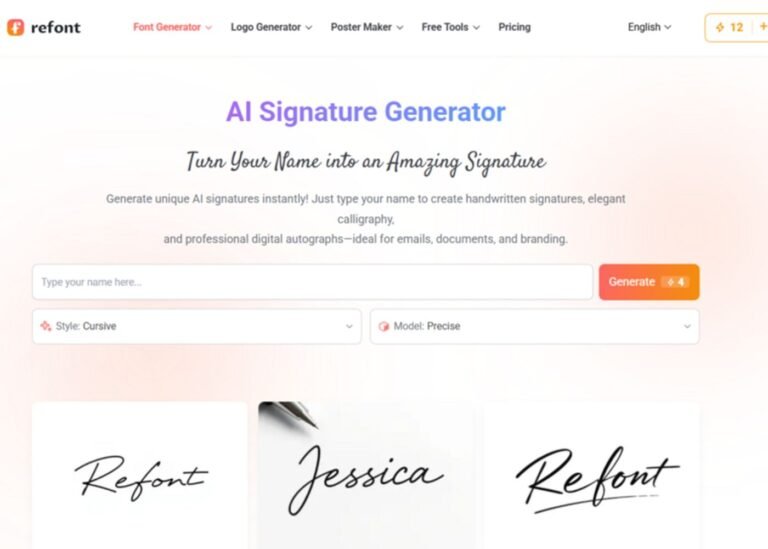
Step 2: Use an AI signature generator to create options. Open a signature generator and input your chosen name format. Focus on generating options in styles with clear, bold primary strokes — flowing scripts and calligraphic styles with good structural clarity.
Step 3: Generate extensively and test at small scale immediately. For watermark use specifically, you need to test each promising option at small size before adding it to your shortlist. Generate an option, scale it down to approximately the size it will appear as a watermark, and evaluate readability. Many signatures that look beautiful at display size become unreadable at watermark scale.
Step 4: Select your top two or three options. Choose signatures that remain clear and recognizable at small scale, have distinctive enough visual character to function as a brand mark, and match your work’s aesthetic.
Step 5: Export as PNG with transparent background. The transparent background is essential for watermark use — it allows the signature to sit directly on any image without a colored box surrounding it.
Step 6: Create both black and white versions. Save your signature in both black and white. You’ll use the white version on dark images and the black version on light images — or use layer opacity settings to control visibility.
Deploying Your Watermark in Photoshop and Lightroom
Photoshop — Creating a Watermark Action: Open your signature PNG as a layer. Position and resize at your preferred watermark location. Adjust opacity (typically 30-60% for a subtle but visible mark). Create an Action that automates this process for batch application to multiple images.
Lightroom — Using the Watermark Editor: Go to Edit → Edit Watermarks. Select Graphic watermark type. Upload your signature PNG. Adjust size, opacity, and position using the controls provided. Save as a Watermark Preset. Apply to any export using the Watermarking option in the Export dialog.
Both workflows allow you to apply your watermark consistently across large batches of images — ensuring every piece you publish carries your mark without manual application to each file.
Watermark Placement Strategy
Where you place your watermark affects both its protective effectiveness and its visual impact on the work:
Corner placement is the most common and least intrusive. Bottom right is conventional. The watermark is visible but doesn’t interfere with the central subject of the image.
Central placement at high opacity is the most protective — it makes the image difficult to use without the watermark. But it also significantly impacts the viewing experience. Appropriate for work shared in contexts where theft is most likely.
Integrated placement — positioning the watermark where it naturally fits the image composition — is the most elegant approach. It requires case-by-case judgment but produces the best results when done well.
Multiple placement — watermarking at both a corner and a less obvious mid-image location — provides protection against partial cropping (removing the corner watermark) while maintaining the cleaner look of corner placement for most viewers.
Final Thoughts
Uncredited sharing of creative work is not going away. The only practical response is to ensure that every piece of work you publish carries your mark — making every share, credited or not, an advertisement for your identity as the creator.
A signature watermark created with an AI signature generator achieves this with minimal investment of time and no design expertise required. It protects your work, builds your visual brand, and ensures that wherever your work travels online, it carries your name with it.
Create your signature watermark today. Apply it to your entire portfolio. And know that every share of your work is working for you.
