
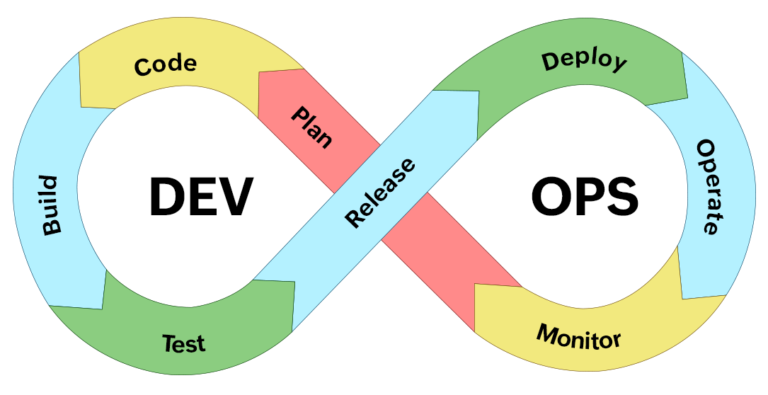
One of the persistent frustrations of modern software delivery is that release planning happens in one tool, environment management happens in another, and deployment tracking happens somewhere else entirely. The result is a fragmented view of the release – and a release manager juggling multiple systems to get a single coherent picture.
It doesn’t have to work that way. If your team already uses Jira, you’re closer to a centralized release process than you might think.
Why Releases Get Fragmented
Most teams start their Jira journey using it for what it does best: tracking issues, managing backlogs, and planning sprints. Jira versions and the release hub naturally extend this into release planning, what’s in scope, what’s ready, and when things are shipping.
But the moment you need to ask “where is this version deployed right now?” or “is the staging environment available for testing?”, Jira runs out of answers. So teams reach for spreadsheets, shared calendars, or external tools. The fragmentation begins.
The Three Layers of a Complete Release Process
To centralize your release process, it helps to think in three layers:
1. Release Planning
This is where Jira excels natively. Versions, the release hub, fix version fields, Jira Plans (for complex cross-project releases), and built-in reports like the release burndown chart all give you clear visibility of scope, progress, and release readiness. Most teams have this layer covered.
2. Environment Management
This is where the gap appears. Knowing what version is deployed in each environment, who has booked the UAT server, and whether PRE-PROD is in the right state before go-live, none of this is available in native Jira.
Some teams co-opt Jira Assets for an environment inventory, or use Jira tickets as booking requests with custom automation for conflict detection. These workarounds can function at small scale, but they’re brittle and don’t scale well.
3. Deployment Tracking
Jira supports deployment tracking when integrated with CI/CD tools like Jenkins, GitLab, or Bitbucket Pipelines. But the native integration only tracks which tickets have been deployed – not which versions. That means you don’t have full release integrity visibility, and manual or emergency deployments are invisible.
What Centralizing All Three Looks Like
A fully centralized Jira release process means all three layers live in the same platform, with data flowing between them automatically.
When a CI/CD pipeline deploys a build, the environment status in Jira updates automatically. When a team requests a UAT environment, conflicts are detected and approvals triggered without leaving Jira. When the release manager checks go-live readiness, they can see – in a single view – which environments are running the correct version, which bookings are active, and what the deployment history looks like.
This is what dedicated Jira-native tools like Apwide Golive enable. Rather than building a separate platform, they extend Jira with environment scheduling, deployment event tracking, and self-service booking – all surfaced through Jira dashboards and Confluence pages.
Getting Started
Centralizing your release process doesn’t require a big-bang migration. The practical approach is:
- Audit what’s currently handled in Jira vs. outside of it
- Identify the biggest pain points, usually environment scheduling or deployment visibility
- Evaluate whether a Jira app can close the gap without adding a new platform
- Pilot the solution on one team or one release cycle before scaling
For teams serious about making Jira the single source of truth for their delivery, the detailed breakdown of what native Jira covers – and where it falls short – is well worth reading. This release management in Jira resource from Apwide covers everything from planning features to the environment execution gap and how to bridge it.
The Goal: One Tool, Full Visibility
A fragmented release process isn’t just inefficient, it’s a risk. When environment state lives in a spreadsheet and deployment history lives in a CI/CD tool and release scope lives in Jira, you’re always working with an incomplete picture.
Centralizing everything into Jira isn’t just about convenience. It’s about giving every stakeholder – from developers to release managers to product owners – a single, accurate, real-time view of where the release actually stands.How to Centralize Your Entire Release Process Inside Jira: From Staging to Production
