
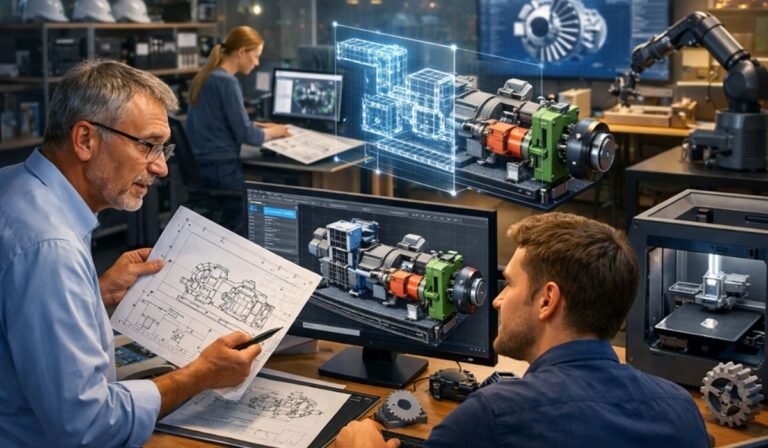
In an era where digitisation is rewriting the rules of engineering and design, one transformation stands out: turning old, static paper drawings into intelligent, editable CAD models. Whether you’re preserving legacy designs, integrating old plans into cutting-edge workflows, or accelerating design cycles, understanding how to scale this conversion is crucial. The process isn’t just about scanning paper, it’s about unlocking data, enabling collaboration, and future-proofing operations.
At the heart of this shift is the paper to cad conversion service, a foundational step for firms looking to modernise design processes across industries. In this guest post, we’ll unpack the challenges, opportunities, and best practices engineering leaders are leaning into as they move from paper to digital precision.
Why Are Businesses Still Relying on Paper Drawings?
Older projects frequently sit in archives as paper blueprints, sometimes decades old and hard to interpret. These artifacts might be the only documentation available for critical components, machinery, or architectural layouts, especially in industries with long asset lifecycles like infrastructure, aerospace, and heritage conservation.
Yet paper has major drawbacks:
- Prone to damage, loss, or deterioration
- Difficult to share, update, or collaborate on
- Not machine-readable or editable
A paper to cad conversion service helps organisations overcome these limits, digitising and preserving technical drawings into reliable digital assets.
How Do Engineering Teams Actually Convert Old Drawings?
At scale, engineering leaders use a combination of technology, expertise, and workflow strategy to transform physical documents into intelligent models.
1. Scanning and Pre-Processing
The first step is scanning printed or hand-drawn plans into high-resolution digital images.
2. Raster to Vector Conversion
Once digitised, these images are traced into vector data the language CAD platforms understand. This is the foundation of both 2D and 3D conversion workflows.
3. Building the CAD Model
Here’s where expertise matters most:
- 2D CAD conversion maintains layers, annotations, and layout integrity.
- 3D CAD conversion services elevate 2D information into spatial representations used for simulations, manufacturing, or BIM integration.
4. Validation & Quality Assurance
Engineering leaders stress rigorous checks to ensure dimensional accuracy and completeness especially when converting legacy drawings into designs ready for fabrication or analysis.
5. Integrating into Modern Workflows
Once converted, the digital designs are integrated with broader systems like PLM, BIM platforms, simulation tools, and Digital Twins for lifecycle use.
This structured pipeline ensures that deliverables aren’t just digital replicas, they’re intelligent, adaptable models you can use in modern engineering systems.
What’s Driving the Growing Need for CAD Conversion Services?
If you’re in management or design leadership, here are a few compelling trends:
Trend #1: Digital Transformation Across Industries
Companies are prioritising digitisation to streamline workflows, improve accuracy, and reduce lead times. Converting static drawings into editable CAD assets is an early but vital piece of that transformation.
Trend #2: BIM, Digital Twins, and Simulation Integration
Industries like construction and manufacturing are increasingly adopting Building Information Modeling (BIM) and Digital Twin platforms. Paper or flat 2D cad drawings simply don’t work in these environments. Converting to digital models enables real-time analysis and collaboration.
Trend #3: AI-Driven Workflows
Emerging tools are beginning to automate parts of the conversion process using machine learning and vision language models pushing the industry toward faster and more scalable solutions.
Trend #4: Global Distributed Teams
Cloud-based CAD systems and collaboration platforms make it more practical for global teams to work in tandem provided the data is in digital form. Converted CAD models are now the lingua franca for shared design understanding.
Common Challenges in Large-Scale Conversion Projects
It’s not all smooth sailing scaling paper to CAD conversion comes with real operational hurdles:
Challenge: Quality and Accuracy
Converting paper drawings requires careful interpretation to avoid dimensional errors or lost information, especially as drawings age or deteriorate.
Challenge: Legacy Data Compatibility
Older formats or varied standards across archives can complicate automated workflows and often require manual refinement.
Challenge: Skill Gaps
Traditional drafting skills are no longer enough; designers now need CAD mastery combined with knowledge of current standards and software.
Challenge: Data Interoperability
Different CAD platforms have unique file formats and conventions. Ensuring seamless data exchange between systems without loss of intelligence is a known pain point.
What Are the Benefits of Doing It Right?
When executed well, converting paper drawings into intelligent CAD models unlocks strategic value:
1. Enhanced Accuracy & Reduced Errors
CAD models minimize ambiguity and discrepancies common in analogue drawings. This translates into fewer costly revisions during engineering, manufacture, or construction.
2. Faster Project Cycles
Digital models accelerate design iterations, simulations, and prototyping, leading to quicker time-to-market. Teams can simulate performance early and often.
3. Better Collaboration Across Teams
Editable CAD assets support cross-functional work across design, engineering, procurement, and construction teams. Cloud-based CAD platforms further enrich collaboration.
4. Support for Modern Technologies
From BIM to Digital Twins and AR/VR visualisations, most advanced technologies require structured 3D CAD data not paper or flat 2D files.
5. Sustainability and Cost Savings
Digitising drawings reduces physical storage needs and supports sustainability goals by cutting reliance on paper documentation.
What to Look for in a CAD Conversion Partner
If you’re considering outsourcing, here are some key traits to prioritise:
✅ Expertise across multiple CAD platforms (e.g., AutoCAD, SolidWorks, Revit)
✅ Experience with both 2D and 3D CAD conversion services in USA, UK and globally
✅ Rigorous quality control and validation protocols
✅ Capability to handle large archives and legacy formats
✅ Scalability to support enterprise-scale demands
Engineering leaders often pair in-house strategy with external partners to balance workload peaks and access specialist skills when needed.
How This Applies to Your Business
Whether you’re:
- a startup architect modernising legacy plans,
- a manufacturing firm bringing old tooling to life,
- a construction contractor integrating into BIM workflows,
- or an engineering manager streamlining design data
transitioning from paper to intelligent CAD isn’t just an operational task it’s a strategic enabler for innovation, efficiency, and competitiveness.
Conclusion:
The landscape of design and drafting is rapidly shifting, led by demand for 3D CAD conversion services that empower teams to innovate and scale. Investing in paper to CAD conversion isn’t merely archiving, it’s about transforming your engineering backbone to thrive in a digital world.
For businesses in the UK, USA, and beyond looking to make this shift confidently, partnering with a leading CAD design company one that understands both legacy data needs and modern CAD workflows can make all the difference. A trusted provider ensures not only an accurate CAD conversion service but also integration into the digital systems that propel tomorrow’s engineering success.
By embracing this evolution now, organisations stand to gain agility, precision, and scalability all while future-proofing their design foundations.
FAQs
What is a paper to CAD conversion service?
A paper to CAD conversion service transforms physical drawings, blueprints, or scanned images into editable 2D or 3D CAD files. This allows engineering teams to modernize legacy designs, improve accuracy, and integrate drawings into digital workflows like BIM, manufacturing, or simulations.
Why do engineering leaders convert paper drawings into CAD models?
Engineering leaders convert paper drawings to CAD models to reduce errors, speed up design changes, improve collaboration, and support advanced technologies like BIM, digital twins, and automation especially for large-scale or legacy projects.
How accurate are professional CAD conversion services?
A professional accurate CAD conversion service typically achieves 99%+ dimensional accuracy when proper quality checks are followed. Accuracy depends on drawing clarity, standards used, and validation processes such as layer mapping, tolerance checks, and peer reviews.
What industries benefit most from CAD conversion services?
Industries that benefit the most include:
- Architecture & construction
- Manufacturing & fabrication
- Engineering & infrastructure
- Industrial equipment & plant design
- Real estate redevelopment
These sectors often rely on cad conversion services in USA and UK to digitize legacy assets efficiently.
Can paper drawings be converted into 3D CAD models?
Yes. Using 3D CAD conversion services, engineering teams can convert 2D paper drawings into intelligent 3D models for visualization, clash detection, prototyping, BIM integration, and digital twin development.
What challenges arise when converting paper drawings at scale?
Common challenges include poor drawing quality, missing dimensions, outdated standards, inconsistent formats, and platform compatibility issues. Engineering leaders overcome these by using structured workflows, skilled CAD experts, and scalable conversion processes.
How do businesses choose the right CAD conversion partner?
Businesses should look for:
- Proven experience in paper to CAD conversion
- Multi-platform CAD expertise (AutoCAD, Revit, SolidWorks)
- Strong QA and accuracy standards
- Ability to scale large archives
- Experience serving UK and US engineering markets
Choosing the right partner ensures long-term value, not just file conversion.
