
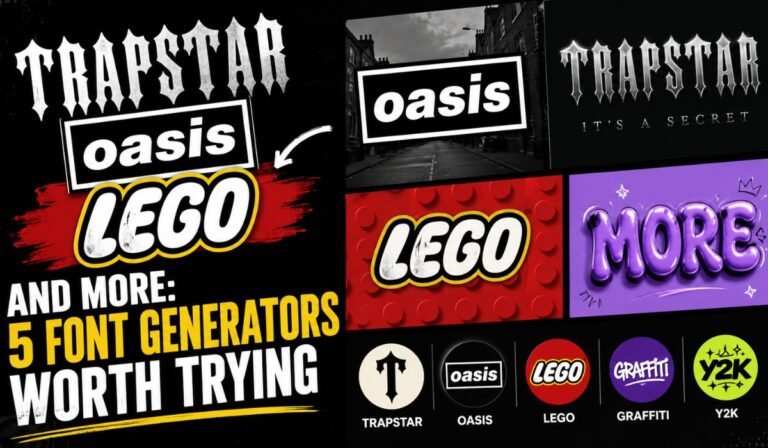
Plain text is easy to scroll past. When you want a username that gets noticed, a bio that has some personality, a party invite that feels themed, or a thumbnail that stops the scroll, a default system font rarely does the job. That is where themed font generators come in. They take whatever you type and restyle it to match a specific look, then hand you text you can copy and paste or save as an image.
This guide walks through five of the most searched font styles right now. You will see what each one is good for, how the tools behind them actually work, and where the styled text displays correctly so you do not paste something that turns into empty boxes.
How a font generator actually works
Before the list, it helps to know what happens under the hood, because it explains where these styles will and will not work.
Most “font generators” for social media do not install a new font on your phone. Instead, they swap your normal letters for lookalike characters from the Unicode standard, the same system that gives you emoji and symbols. That is why fancy text survives a copy and paste into Instagram, TikTok, or Discord while a true downloaded font would not.
Themed generators that copy a brand look, like a chunky toy-brick style or a bold streetwear style, usually work a second way. They render your words inside a styled template on a canvas, then let you download the result as a PNG. You use that image in a thumbnail, a poster, or an invite rather than as live text.
Knowing which type you are dealing with saves you frustration later. If you want something for a bio, you want the copy-and-paste kind. If you want something for a design, you want the downloadable image kind. A good free font generator will make that difference obvious and give you both options where it makes sense.
1. Trapstar font generator
Trapstar built its name on bold, dark, streetwear-driven design, so a trapstar font generator is really about capturing that aesthetic rather than any single typeface. People reach for it when they want a gritty, urban, slightly gothic feel for a gaming tag, a clothing mockup, a music cover, or a streetwear social account.
The styles that fit this brief tend to be heavy blackletter and condensed bold looks with sharp contrast. For a username or caption, the Unicode versions of these styles let you keep the edgy vibe while staying copy-and-paste friendly. For a poster or a product mockup, you will want the image-export route so you control colour and spacing.
2. Oasis font generator
Oasis came roaring back into the spotlight with their 2025 reunion tour, which reignited interest in everything tied to the band, including their instantly recognisable bold, blocky logo style. An oasis font generator helps fans recreate that look for fan art, playlist covers, lyric graphics, and tribute posts.
The signature look here is a strong, uppercase, slightly retro display style. Because the band lettering is built for impact, it reads best large and short. A few words work far better than a full paragraph. If you are making a graphic to share, export it as an image so the spacing stays tight and the contrast stays punchy.
3. Lego font generator
Few logos are as recognisable as those chunky, rounded toy-brick letters, which is exactly why a lego font generator is so popular with parents, teachers, and party planners. It is the go-to for birthday invites, classroom displays, scrapbook titles, and homemade banners that need a playful, kid-friendly feel.
This style almost always lives in the image-export category rather than the copy-and-paste one, because the charm comes from the colour, the depth, and the rounded shapes. Type your child’s name or the party title, pick your colours, and download the result for printing. It is one of the most genuinely useful themed styles because so many people need it for real-world projects.
4. Mamma Mia font generator
The Mamma Mia musical and films carry a warm, hand-drawn, summery script look that people love for themed events. A mamma mia font generator is a favourite for hen parties, ABBA nights, theatre fundraisers, and Greek-island-themed celebrations where you want that relaxed, holiday-postcard handwriting.
Script and brush styles like this work best as graphics rather than live text, since the joined-up letters depend on careful spacing. Keep your wording short, lean into warm colours, and export an image you can drop straight onto an invite or a sign.
5. Rainbow font generator
Unlike the others on this list, a rainbow font generator is not tied to any brand. It simply colours each letter in a different shade so your text flows through the spectrum. That makes it endlessly handy for Pride posts, kids’ content, music graphics, Discord servers, and any caption that wants to feel cheerful and loud.
There is a small catch worth knowing. Platforms like Instagram and TikTok strip colour out of caption text, so true multi-colour letters usually need to be exported as an image to keep their colours. Inside apps that allow rich text, such as some chat tools, the colours can stay live. Again, the right tool will tell you which version you are getting.
Where styled text actually shows up
A quick reality check before you paste anything:
- Instagram, TikTok, X, Threads: Unicode fancy text works in bios, captions, and comments. Colour and true brand fonts do not survive as text, so use an image for those.
- Discord and many chat apps: Unicode styles work well, and some support limited colour or formatting.
- WhatsApp: Supports basic bold and italic, and accepts Unicode fancy text for names and statuses.
- Posters, invites, thumbnails, print: Use the downloadable image option so colour, spacing, and depth stay intact.
Matching the style to the platform is the single biggest thing that separates a clean result from a row of empty squares.
A quick, honest note on brand styles
It is worth being clear about one thing. Tools like these recreate the look and feel of a style, they do not hand you a company’s official trademarked logo or licensed typeface. That is perfectly fine for personal projects, fan art, party decorations, and social posts. If you are creating something commercial, treat brand-inspired styles as inspiration and avoid passing your design off as the official article. A little common sense keeps the fun harmless.
How to use a font generator in three steps
- Type or paste your text into the generator’s input box.
- Pick the style that matches your project, then preview it to check the spacing and the characters.
- Copy the result for a bio or caption, or download it as an image for a design. That is the whole process, and it takes seconds.
If you want a single place to experiment with dozens of styles, from fancy and gothic to playful and decorative, the fancy text generator at Font Generator World covers most of what you would search for, including the looks above. Readers who prefer to work in their own language can try the German tool at schriftartengenerators.de or the Turkish one at yazistil.com.tr.
Final word
Themed font generators are a small thing that make a surprising difference. The right style turns a flat username into something with personality, a blank invite into a proper themed event, and an ordinary thumbnail into one people actually click. Trapstar, Oasis, Lego, Mamma Mia, and rainbow styles each suit a different mood and a different project, so the trick is simply to match the style to where it will live. Pick the look you need, paste or download it, and your text does the talking.
